What a Year of NSFW AI Actually Changed
Most people who try one of these tools for the first time give up inside ten minutes, and usually for the same reason. They picked the wrong kind of tool for the thing they wanted.
The change over the past year isn’t really that the output got prettier. It’s that the failure mode moved. A year ago a bad result was obvious, six fingers, a face melting into the shoulder, something your eye caught immediately. Now a bad result is a small inconsistency you don’t notice until the second viewing. That’s progress, but it also means you have to look harder to tell a good service from a mediocre one.
The three kinds, and why the distinction matters
They don’t do the same job.
The first generates an image from a written description. Total freedom, and one hard limit: every run gives you a different person. If you had a specific woman in mind, from a photo or from something you read, you will never assemble her this way.
The second edits a photo you already have. The face stays, the clothes and the setting change. For most of what people actually want, this is the one they needed and didn’t know to ask for. A dedicated ai clothes remover holds a face better than a general image generator asked to do the same thing, and that gap only becomes obvious once you’ve run both on the same photo.
The third turns a still frame into a short clip, and this is where the confusion lives.
An image-to-video model continues the motion out of the frame you gave it. It won’t move the camera, it won’t change the pose, and it won’t build a scene that wasn’t in the picture. If the woman in your source image is standing, she’ll still be standing when the clip ends, breathing and shifting her weight. Want a different position? Change the source image. Rewriting the prompt will not do it, and people burn a lot of credits learning that.
Most nsfw ai services do one of these three well and treat the other two as an afterthought, which is worth knowing before you sign up anywhere.
Writing more makes it worse
The second surprise is that long prompts hurt you. People paste in a paragraph with five actions in it and the model starts to drift. The face shifts halfway through the clip, hands go off on their own. One clear action per clip holds together far better than a chain of three. If you want the chain, you generate it in pieces and join them afterwards.
There’s a related trap that took me a while to see. Defensive instructions backfire. Write “don’t change her hair colour” into the prompt and you raise the odds of getting blonde hair, because you’ve just put the word in front of the model. The reliable version of that instruction turns out to be no instruction at all.
When you want something longer
An eight-second clip and a two-second one are not the same request. Past a few seconds most models lose the thread, and the working answer is to build the long version out of short pieces, taking the last frame of each as the source for the next. It’s more effort than typing a longer prompt, and it’s the approach that survives contact with reality. The exception is a single continuous motion with nothing else happening in the shot, which some models will carry straight through without help.
A ten-minute test
Use a difficult source photo rather than a good one. Side profile, low light, cropped at the chin. Every service looks capable on a well-lit frontal shot, and you won’t have a well-lit frontal shot most of the time. What separates them is what comes back from the hard input.
Then look at how the service treats its own failures. A generation that comes back unusable still costs you something almost everywhere. Whether that cost is stated anywhere before you spend it tells you a fair amount about who you’re dealing with.
One last thing on speed. Video takes far longer than images, and that’s normal rather than a fault, because frames are built one at a time. A short clip landing inside a couple of minutes is fine. If it’s quietly taking twenty, that’s a queue they’re not telling you about.
What I use, and what it costs
The piece has been about how to judge one of these, so here’s the one I settled on, with the numbers attached so you can judge it on the same terms.
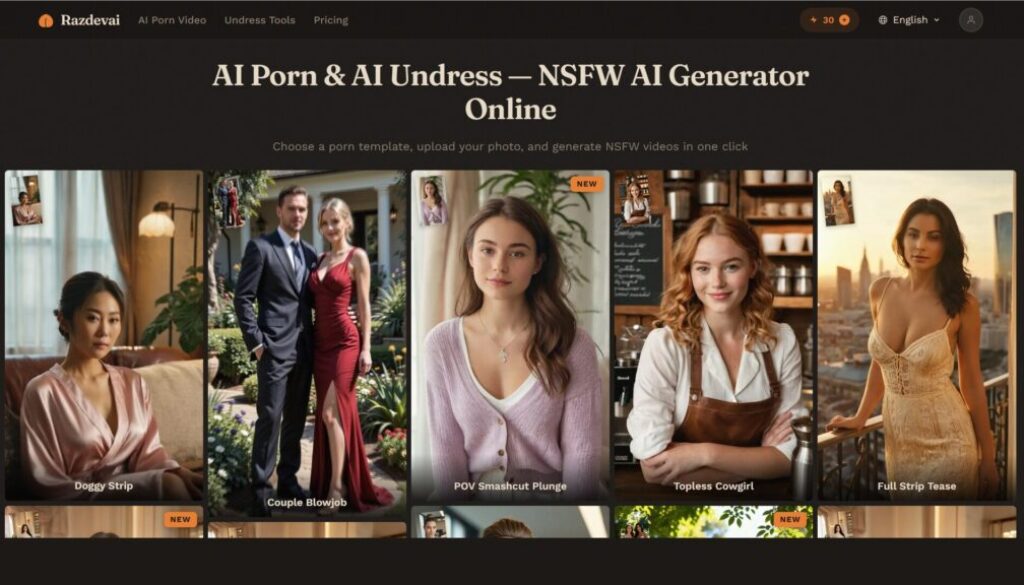
Razdevai runs all three categories in one place, which is why I stopped switching between tabs. An image edit costs 10 credits, and an undress or a face swap costs the same. A template video is 30. There are just over seventy scene templates, and when none of them fit, a custom mode takes a written description and builds the clip instead, anywhere from five to thirty seconds long. A five-second clip usually lands in about half a minute.
Prices start at $9.99. Signing up gives you 10 credits, which is one image edit or one undress, not a video. That’s enough to run the hard-source-photo test on it before you spend anything, which is the only test worth running first.
The tools stopped being a joke sometime in the last year. What limits the result now is mostly the person operating them, which is duller to read about and more useful to know.